Charging Sessions
The charging sessions page (/charging/sessions) is where you view and manage your charging history.
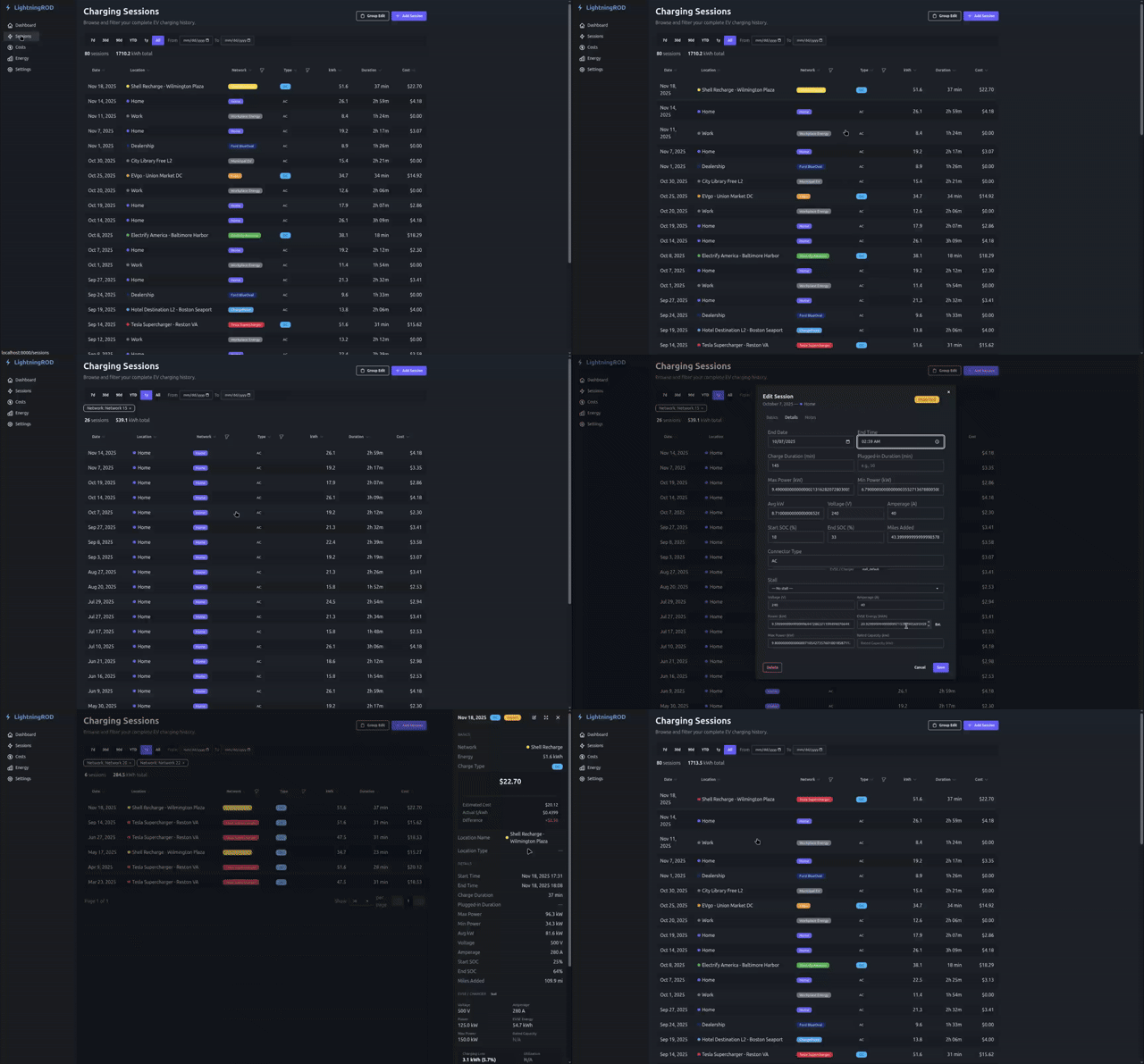
Session Table
Sessions appear in a paginated table with a page size of 25, 50, or 100. Columns shown:
- Date and time (displayed in your configured timezone)
- Location name
- Network (with color badge)
- Charge type (AC/DC)
- Energy delivered (kWh)
- Cost (actual or estimated with
~prefix) - Duration
Sorting
Click any column header to sort. The header cycles through no sort, ascending, and descending. The sort stays in place as you move through pages or change filters.
Filtering
The filter bar supports multiple filters at once:
| Filter | Options |
|---|---|
| Date range | Presets: 7d, 30d, 90d, YTD, 1y, All, or custom start/end dates |
| Charge type | AC, DC (multi-select) |
| Network | Multi-select checkboxes with color badges |
Active filters show as chips below the filter bar. The summary bar above the table updates to match the filtered results.
Group Edit
Use Group Edit above the table to update selected rows together. You can apply shared values for:
- Network
- Charge type
- Location
- Cost
When you change Network in the group editor, the Location list narrows to that network's locations so you do not end up with mismatched sessions.
To clean up the networks and locations themselves, use the Review Queue.
Adding Sessions
Click Add Session above the table to open a modal with fields for date, energy, cost, network, location, charge type, duration, SOC start/end, and notes.
Manually added sessions get a "Manual Entry" data source badge.
Editing Sessions
Click any row to open the session detail drawer, then click Edit to make changes.
The edit modal is organized into three tabs:
| Tab | Fields |
|---|---|
| Basics | Date, network, energy, cost |
| Details | Power metrics, SOC, duration, connector, EVSE data, stall selection |
| Notes | Free-text notes |
A data source badge in the top-right corner shows where the session came from: Manual Entry, Imported, HASS, or Edited.
Deleting Sessions
Open a session's edit modal and click Delete. A confirmation dialog helps prevent accidental deletion.
Session Detail Drawer
Click any table row to open the slide-out drawer with full session details:
- Session info (date/time, duration, charge type, data source)
- Energy and SOC (kWh delivered, SOC start/end, range added)
- Cost breakdown card with actual cost, estimated cost, actual $/kWh, and the difference
- Network and location info with color badge
- Mini charge-curve preview (when enough SOC/power data exists)
- EVSE / Charger section (voltage, amperage, power, energy, max power, rated capacity, stall label)
- Charging loss and utilization metrics when EVSE data is available
Use the previous and next arrows to move between sessions without closing the drawer.
Cost Display
Sessions show cost in two ways:
- Actual cost -- User-entered or imported cost, shown normally
- Estimated cost -- Calculated from the network or location cost per kWh, shown with a
~prefix and an "Est." badge, for example~$12.50
When both exist, the drawer shows a breakdown card with the difference between actual and estimated.